Run 2 Unblocked — Play Free Online
More Runners & Driving games





Run 2 unblocked: play Run 2 online free right here in your browser — no download, no sign-up, works on a school Chromebook.
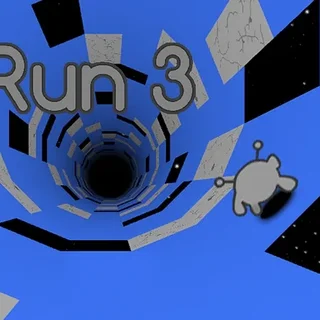
Run 2 takes the simple thrill of endless running and bends it around three-dimensional space. Instead of dodging obstacles along a flat path, you guide an intrepid runner through suspended tunnels floating in the void. What makes the game special is gravity shifting: moving toward any side wall causes the entire corridor to rotate beneath your feet, turning vertical surfaces into new running lanes.
For anyone taking a quick breather on Whack Your Boss, Run 2 offers a refreshing change of pace from office slapstick and ragdoll destruction. It swaps chaotic stress relief for sharp spatial awareness, rhythm, and fast-twitch platforming. Every floating track is a puzzle where choosing the right surface at full speed means the difference between clearing a gap and tumbling into empty space.
How to play
You can steer your character with the Left and Right Arrow keys or the A and D keys. Jumping is handled with the Up Arrow or Spacebar. If you miss a platform and fall off the edge, press Space or any key to immediately retry the current level.
The core mechanic relies on dynamic wall traversal. When a gap ahead looks impossible or a platform disappears, steer into the left or right wall. The camera pivots instantly, reorienting gravity so the wall becomes your floor. You can also pick between two playable characters: the standard Runner, who excels at precise jump timing, and the Skater, who travels faster and glides across wider gaps with higher momentum.
Tips for clearing tough stages
- Look ahead for rotation paths: Do not just watch the tiles directly under your feet. Scan the side walls early to spot clean running strips before approaching a dead end.
- Master short hops versus full jumps: Tapping the jump button executes a brief leap for small gaps, while holding it gives you maximum height to clear crumbling blocks.
- Switch characters when stuck: If a stage feels too tight for the high-speed Skater, switch to the Runner for more deliberate airborne adjustments and tighter cornering.
- Use walls to bypass broken floors: When the main track is riddled with missing tiles, rotating onto a solid side wall often reveals a smoother, uninterrupted line to the exit.
More games on Whack Your Boss
When you want to switch from high-flying tunnel navigation back to arcade physics and slapstick action, explore the other titles in our collection. Kick the Teddy Bear and Interactive Buddy deliver playful sandbox physics with customizable reactions, while Smash Room lets you demolish household objects to blow off steam. If you prefer tricky momentum and ragdoll puzzles, Poor Eddie offers plenty of hilarious trial-and-error challenges.
Run 2 runs directly in any modern desktop or mobile browser without requiring downloads, plugins, or user accounts. Your level progress saves locally in your browser storage, allowing you to pick up right where you left off during your next break.
Questions about Run 2
Is Run 2 unblocked at school?
Run 2 runs in an ordinary browser tab from whackyourboss.org, with nothing to download or install, so it plays on most school Chromebooks and work computers. If a network filter blocks the site, only that network's administrator can change it.
What is the difference between the Runner and Skater in Run 2?
The Runner offers standard speed and precise jump controls, making tight platforming easier. The Skater moves much faster and glides farther over gaps, but has heavier momentum and turns more slowly.
How do you rotate gravity in Run 2?
Steering into the left or right wall while moving forward causes the entire tunnel to rotate ninety degrees, turning that wall into your new floor.
How are game controls mapped for Run 2?
Use the Left and Right Arrow keys or A and D to steer sideways, and press the Up Arrow or Spacebar to jump over gaps and obstacles. Press Space to restart after a fall.
Does Run 2 save your level progress automatically?
Yes, your completed levels are stored locally in your browser cache so you can return and resume your run whenever you reopen the page.